

Quick Setup:
Reporting configuration dashboard
Before You Begin
Regulatory reports filed through Sigma must identify:- The Reporting Entity (your organisation)
- The Reporting Agent (authorised individual)
Initial Setup
Set up the following before generating reports:1. Reporting Entity
A Reporting Entity is your organisation’s regulatory profile. It stores the institution details that appear on reports created in Sigma.- Navigate to Reporting → Preferences
- Switch to Entities tab
- Click Add New Entity
- Provide:
- Reporting entity ID
- Reporting entity branch
- Entity reference
- Local currency code
- Address type
- Address
- City
- Country
- Save and optionally set as default
Entity field breakdown
If your institution has multiple branches that file independently, create a
separate entity for each branch.
2. Reporting Agent
A Reporting Agent is the person authorised to submit reports on behalf of your institution. In most teams, this is your compliance officer or MLRO.- Navigate to Reporting → Preferences
- Switch to Agents tab
- Click Add New Agent
- Provide:
- First name and last name
- Date of birth
- Gender
- Passport number or ID number
- Nationality
- Occupation
- Comment
- Save and optionally set as default
Agent field breakdown
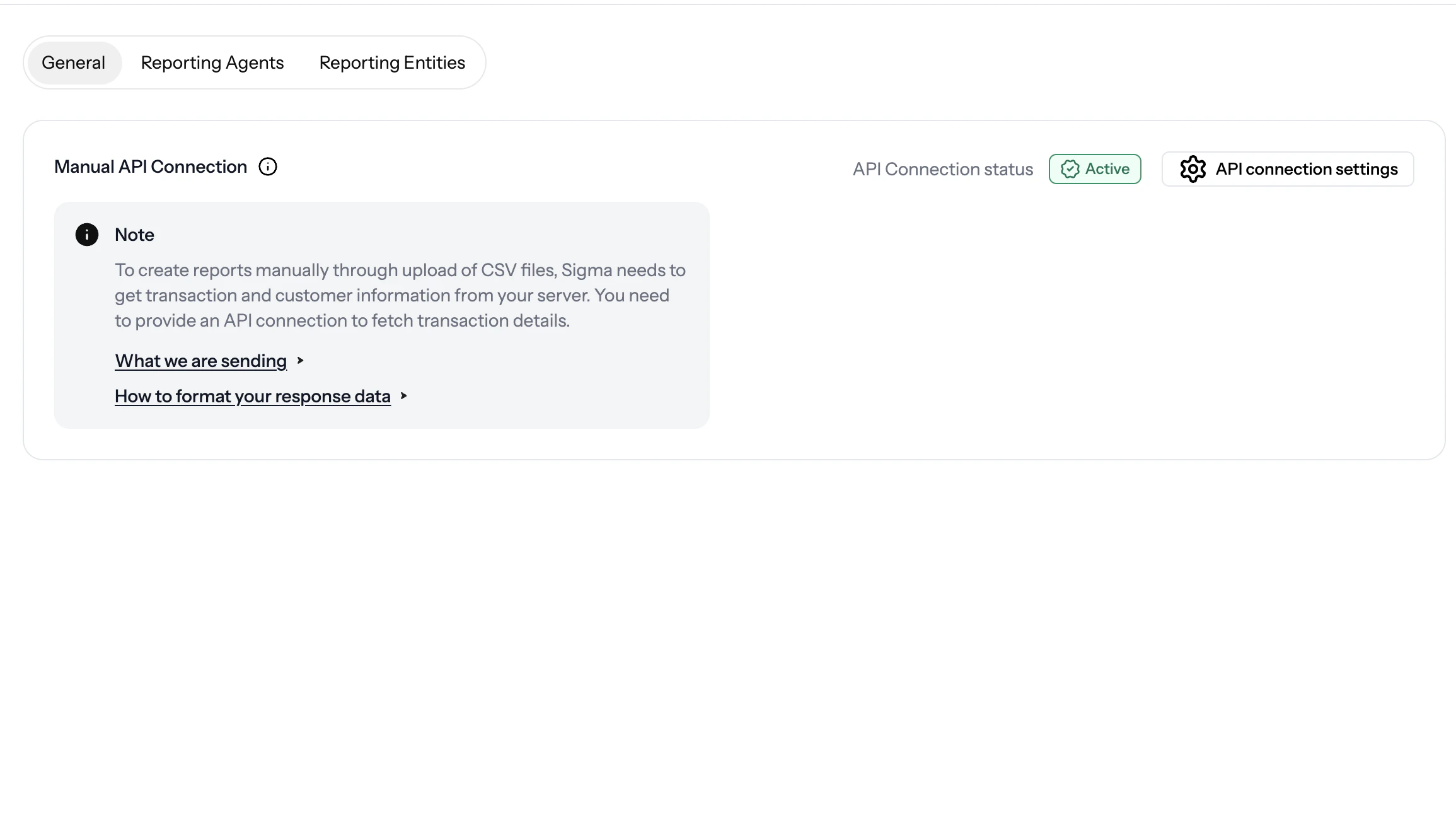
3. Optional: Manual API connection
If you want Sigma to retrieve transaction details from your server, configure the Manual API Connection in Preferences.- Go to Reporting → Preferences → General
- Open API connection settings
- Enter your:
- Endpoint URL
- HTTP Method (
GET) - Authorization type (
None,Bearer Token, orBasic Auth) - Optional Headers
- Use Test connection with a sample transaction ID
- Save the connection once the test succeeds
Why this connection matters
If your team keeps the full transaction payload in an internal system, this connection allows Sigma to fetch that data during manual report creation instead of requiring you to upload the full transaction detail in every case.What Happens After Setup
Once at least one entity and agent are configured, you can:- Generate reports
- Manage reporting rules
- Reuse your default entity and agent during report creation
- Create a new entity or agent directly from the report page if needed
Report Generation Methods
Manual Reporting
Create reports by selecting transactions, uploading CSV files, or retrieving
transaction details from your own server.
Automatic Reporting
Save recurring reporting checks as rules and manage them from the Rules
page.