

What is a Workflow?
A CDD workflow is a reusable configuration that tells Sigma which checks to run on a customer, how to score their risk, and how often to repeat the checks. Instead of configuring checks each time you run CDD, you define a workflow once and apply it to any customer or customer group. Workflows are scoped to a customer type (individual or corporate) because the available checks and risk factors differ between the two.
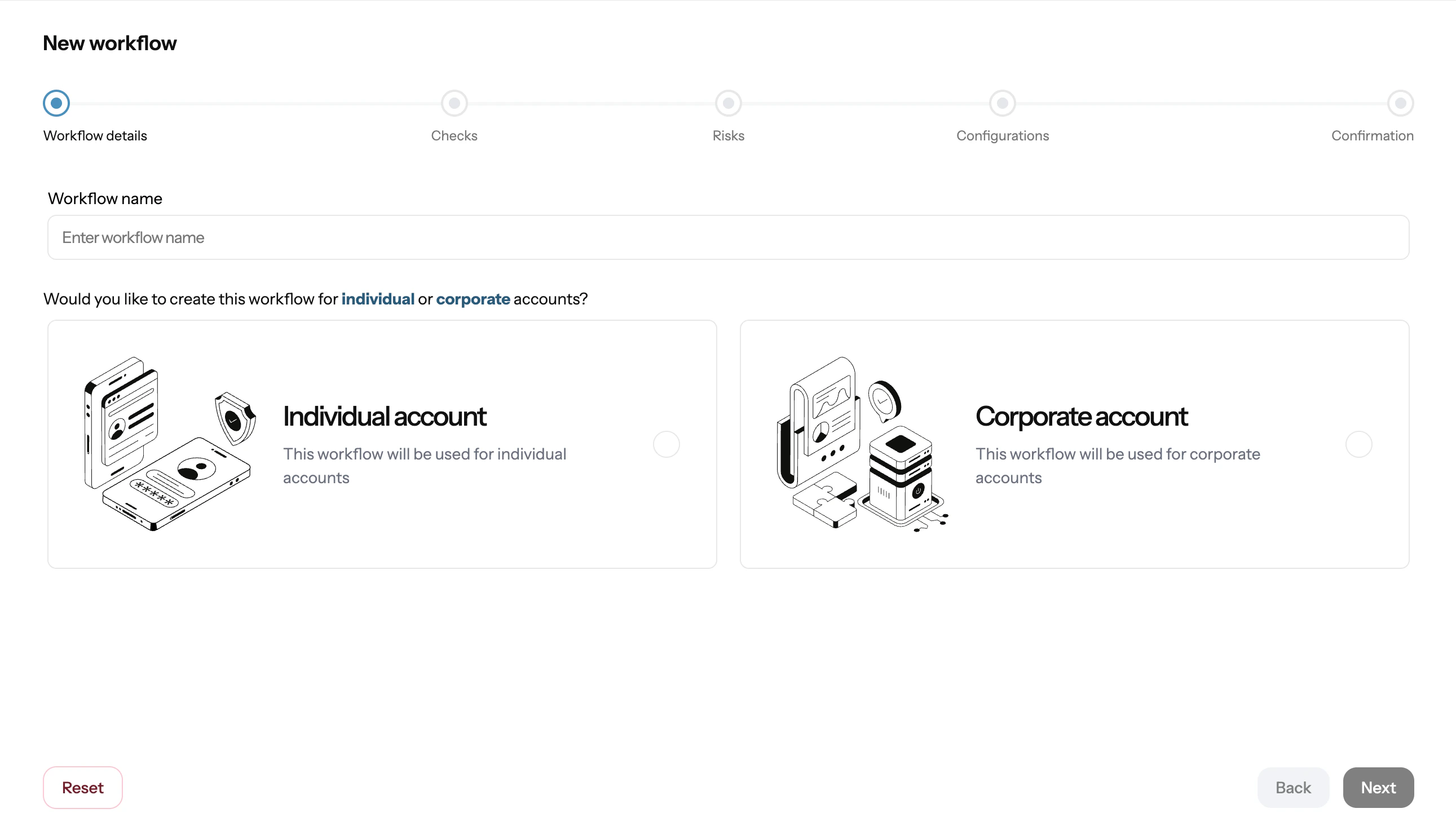
Example:
Image shows creating a workflow from Sigma Dashboard.
Workflow setup and workflow management are done from the dashboard only. There is no API for creating workflows.
Workflow Components
A workflow has four configurable areas: 1. Customer Type Select whether the workflow applies toindividual or corporate customers. This determines which checks and risk criteria are available.
2. Checks
Select the verification checks to run as part of this workflow. Available checks include:
You can include any combination of checks in a single workflow. Most compliance programmes require at minimum identity verification plus PEP and sanctions screening.
3. Risk Configuration
Risk configuration defines how Sigma scores and classifies customers after checks complete. You set the criteria that contribute to the risk score and the thresholds that determine the risk tier.
Risk tiers are:
Risk factors you can configure include occupation category, country of residence, transaction volume, PEP association, and previous adverse findings.
4. Frequency
Frequency controls how often the workflow re-runs on assigned customers after the initial check:
- One-time: runs once when triggered, no automatic repeat
- Scheduled: repeats at a set interval (e.g. every 3 months, every 12 months) for ongoing monitoring
How to Create a Workflow
- Open Workflows in the CDD section of the Sigma Dashboard
- Click Create Workflow
- Select the customer type (
individualorcorporate) - Choose the checks to include
- Configure risk criteria and tier thresholds
- Set the check frequency
- Save the workflow
Managing Workflows
You can edit an existing workflow at any time from the Workflows screen. Changes apply to future CDD runs and do not retroactively update previously completed checks. To retire a workflow, you can deactivate it from the dashboard. Deactivated workflows are no longer available for new runs but their historical results remain accessible.Next
Add customers and customer groups before running CDD.