> ## Documentation Index
> Fetch the complete documentation index at: https://sigma-docs.pastelhq.ai/llms.txt
> Use this file to discover all available pages before exploring further.
# Introduction
> Transaction monitoring helps you detect and prevent fraudulent activities in your transactions. This API documentation provides details on how to use Sigma's transaction monitoring.
### How it works
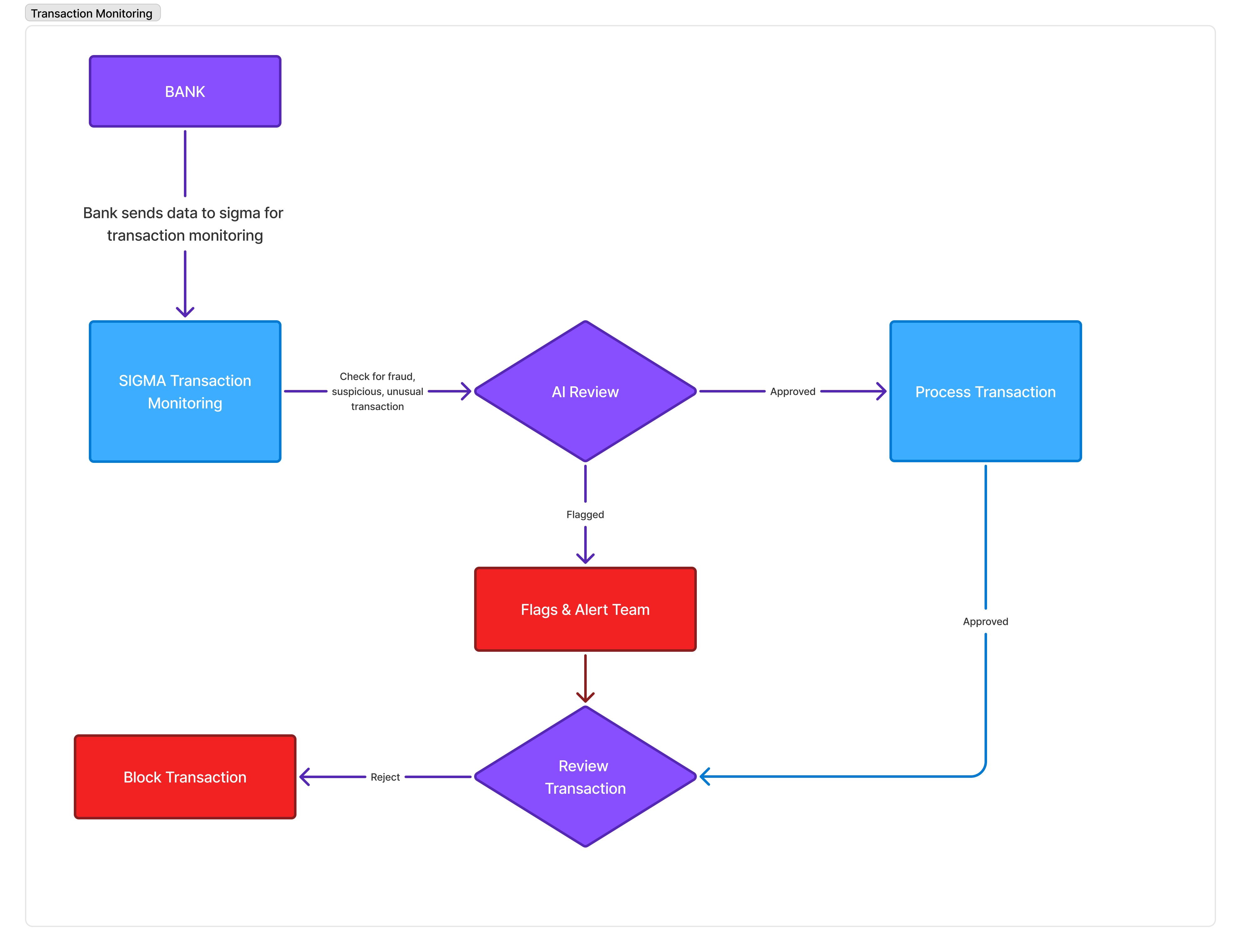
The process of transaction monitoring involves several key steps:
1. **Transaction Initiation**\
Your customer initiates a transaction with your system using a mobile app or any other means available.
2. **Data Collection**\
Your system receives this transaction and sends the transaction data to Sigma Transaction Monitoring for review.
3. **Real-Time Analysis**\
The transaction is analyzed in real-time by Sigma AI to detect suspicious patterns and irregularities with the transaction data.
4. **Fraud Detection**\
If any fraudulent activity is detected, Sigma AI can flag the transaction for manual review or block the transaction and notify your team.
5. **Reporting**
Detailed reports are generated for further analysis and compliance purposes.
 ## Quick Links
See how you can send your transactions to us, so we run our sophisticated
checks
Set custom rules for transactions, e.g: Auto-reject crypto-related
transacations.
You can choose to blacklist devices, accounts, and more.
See API references for transaction monitoring
## Quick Links
See how you can send your transactions to us, so we run our sophisticated
checks
Set custom rules for transactions, e.g: Auto-reject crypto-related
transacations.
You can choose to blacklist devices, accounts, and more.
See API references for transaction monitoring